Download Google Chrome Themes
Saturday, September 13, 2008

Everyone is enjoying Google Chrome and so as me.It's features such as browsing speed,incognitio mode,javascript console,very low memory usage has made it a favorite of millions of web surfers around the world.But what i feel and most of you will agree is the look of Chrome is not cool enough.May be it is in accordance with Google's policy "Simple but powerful".Now there is a solution to this.Here are some cool themes for Chrome ,that will make it sexiest browser in terms of looks as well.
How to install Google Chrome themes1.Download the zip files from the liks given below.
2. Extract the files from the archive using your own extraction tool. eg WinRAR
3. Go to: (Replacing USERNAME with your username)
Vista users -
C:\Users\USERNAME\AppData\Local\Google\Chrome\Application\0.2.149.27\Themes
XP users-
C:\Documents and Settings\USERNAME\LocalSettings\AppData\Google\Chrome\Application\0.2.149.27\Themes
And backup your existing, Default.DLL file (Just incase anything goes wrong)
4. Copy over Default.DLL from your extracted files into your Themes folder
5. Open up Chrome and guess what you have a new theme installed.
Note: Don’t forget to make backup of default theme file before replacing with new one.
Screenshots & Download links
Download Google Chrome Green theme here
Download Google Chrome Mozilla Firefox theme here
Download Google Chrome Light Green theme here
Download Google Chrome Orange theme here
Download Google Chrome dark theme here
Download Google Chrome Vista theme here
Download Google Chrome Mac theme here
Give your iGoogle page an artist's touch

In case you're looking for some more personality to add to your iGoogle page, here is a fresh collection of iGoogle artist themes.The new collection features designs from 28 leading artists from the worlds of fashion and music. This group is amazing, spanning a wide range of styles and genres: Radiohead and Gnarls Barkley used radiant colors; Gucci, Burberry, and Vera Wang illustrated beautiful patterns; and Bob Dylan and Celine Dion created an iconic look (of course). So depending on what you're interested in, there's lots of great art to choose from to suit your personality, taste or mood.
So check out the new collection of themes and pick one that appeals to you. Changing it up is easy and requires only a few clicks. If you have a hard time selecting just one, add the sampler theme, which displays a different artist every day.
See more themes here
Animated Labels Cloud for Blogger
Tuesday, September 02, 2008
Learn how to use this cool animated labels cloud in your blog here in 2 easy steps.
"Blogumus" is an Flash based tag cloud widget which uses scripts converted from Roy Tanck's WP Cumulus plugin for Wordpress.Amanda converted this for use in Blogger powered blogs.
How it works
This widget uses a combination of JavaScript and Flash animation to parse and display your blog labels. Once installed in your template, it should work "out of the box" without any additional tweaking required, though of course you may prefer to change the variables for color, background and size if appropriate :) You should also be able to move the Label Cloud widget through the Page Elements page of your dashboard if you prefer display in a different layout location. To see Blogumus in action, both Flash and Javascript must be installed and enabled for your internet browser. However, it does degrade relatively gracefully, and label links will still be clickable (though not animated) for those who do not use JavaScript of Flash (including search engine spiders).
How to install Blogumus in your Blogger layout
Installing Blogumus in your Blogger layout is surprisingly simple! You should only need to copy and paste a section of code to your Blogger template, though any tweaks for the style of display will require some manual editing. Here are the steps required to install Blogumus in your Blogger layout: Go to Layout>Edit HTML in your Blogger dashboard, and search for the following line (or similar):<b:section class='sidebar' id='sidebar' preferred='yes'>
Immediatly after this line, paste the following section of code:<b:widget id='Label99' locked='false' title='Labels' type='Label'>
<b:includable id='main'>
<b:if cond='data:title'>
<h2><data:title/></h2>
</b:if>
<div class='widget-content'>
<script src='http://halotemplates.s3.amazonaws.com/wp-cumulus-example/swfobject.js' type='text/javascript'/>
<div id='flashcontent'>Blogumulus by <a href='http://www.roytanck.com/'>Roy Tanck</a> and <a href='http://www.bloggerbuster.com'>Amanda Fazani</a></div>
<script type='text/javascript'>
var so = new SWFObject("http://halotemplates.s3.amazonaws.com/wp-cumulus-example/tagcloud.swf", "tagcloud", "240", "300", "7", "#ffffff");
// uncomment next line to enable transparency
//so.addParam("wmode", "transparent");
so.addVariable("tcolor", "0x333333");
so.addVariable("mode", "tags");
so.addVariable("distr", "true");
so.addVariable("tspeed", "100");
so.addVariable("tagcloud", "<tags><b:loop values='data:labels' var='label'><a expr:href='data:label.url' style='12'><data:label.name/></a></b:loop></tags>");
so.addParam("allowScriptAccess", "always");
so.write("flashcontent");
</script>
<b:include name='quickedit'/>
</div>
</b:includable>
</b:widget>
Then preview your template. If installed correctly, you should see the tag cloud appear in your sidebar. Then you are free to save your template, edit the colors and dimensions as required, or move it to a different location.
Customizing Blogumus
In this default installation, Blogumus includes the following preset variables:
* Width is set to 240px
* Height is set to 300px;
* Background color is white
* Test color is grey
* Font size is "12"
If you would prefer to make your widget wider, shorter, change the color scheme, etc, you will need to do this by editing various parts of the code. I'll go through these options in the order they appear in the widget code. Editing width and height The variables for width and height are found in this line of the script:var so = new SWFObject("http://halotemplates.s3.amazonaws.com/wp-cumulus-example/tagcloud.swf", "tagcloud", "240", "300", "7", "#ffffff");
The width (currently 240) is highlighted in red, while the height (300px default) is highlighted in blue. These numerical values specify the width and height in pixels, so you can alter these of you prefer. Editing background color You can change the background color from white to any other color by altering the hex value in the same line.
var so = new SWFObject("http://halotemplates.s3.amazonaws.com/wp-cumulus-example/tagcloud.swf", "tagcloud", "240", "300", "7", "#ffffff");
For example, if you prefer a bright red background, you may replace #ffffff with #ff0000. Take a look at this page for a list of commonly used hex color codes. Alter the color of text By default, the text is set to display as dark grey ( hex value #333333). You can alter this variable in the following line:
so.addVariable("tcolor", "0x333333");
Be aware that "tcolor" is a Flash variable and doesn't include the usual hash symbol of hex color codes. Be sure to only replace the numbers! Adjust the font size The maximum font size of tags is specified in this line:so.addVariable("tagcloud", "
You can alter this to ensure tags are displayed in a bigger or smaller font if you prefer by changing "12" to a larger or smaller number. While making any of these changes, you should be able to preview your widget and be certain that your new choice of color, dimensions and background are suitable for your needs.
Credits
Blogumus is based on the original WP Cumulus plugin by Roy Tanck, and was converted for use with Blogger layouts by Amanda. Please leave the credit links in the widget code intact. These will not be seen by the majority of your blog readers (as they will only display if JavaScript and Flash is not activated) but leaving these links intact is a great way of passing some link love on to Roy for all his hard work, and to inform other Blogger users that they can find the widget codes on this site.
I hope that you enjoy using Blogumus in your own Blogger blogs!
Bloggers at lunch
Tuesday, August 26, 2008

Funniest Blogging Jokes
Thursday, August 21, 2008
This post is for my blogger friends Shitu,Jay and for all the bloggers in the world.Here is a cool collection of blogger jokes.Enjoy them and take the time to have a good laugh – this is a good way to rest your mind and to relax!


Create Custom Google Homepage
Wednesday, August 20, 2008

Hoping that you have enjoyed Change Google Logo by changing it to your name.You must also have made the Google page dark. But don't you feel that Google search home page should be something more sizzling, cheesy and hot.If you feel likewise then you don’t need to worry anymore as Groovle is here to give us new flavor of Google Search.
Create your own Google custom homepage here
Groovle is a very smart service that helps you make Custom Google Search Homepage. You can customize your Google Search Homepage the way you like by adding premade backgrounds or even by uploading one of your own. There is a big list of pre-made Custom Google Search Pages ranging from celebrity themes to themes based on Sports and Animals.
You can even set the page as the default Google Search Homepage and you don’t need to worry about the search results as Groovle uses the same search engine technology that Google does.
Here are some of the customized home pages which I loved...

View entire list of premade home pages here
Create your own home pages and just post its link as comment here so that others can also see your customized page.
Grandma's Got an Attitude Problem
Tuesday, August 19, 2008

Celebs with NO Makeup
OMG they look horrible without makeup...What do you say....
Check Your Age on Other Planets
Monday, August 18, 2008

My next birthday will be on Sat, Sep 22, 2232.Really..I am not joking.Oh no,I will have to wait for for so long to celebrate my next birthday on Pluto.
Ok guys,no more suspense.I just happened to visit a site that calculates your age and next birthday on different planets.So I just checked out mine.Surprisingly,on different planets I have different age.Well the reason for this lies in the period of revolutions on planets vary.
Check your age & birthday and let me know it......
A to Z of Technology
Thursday, August 07, 2008
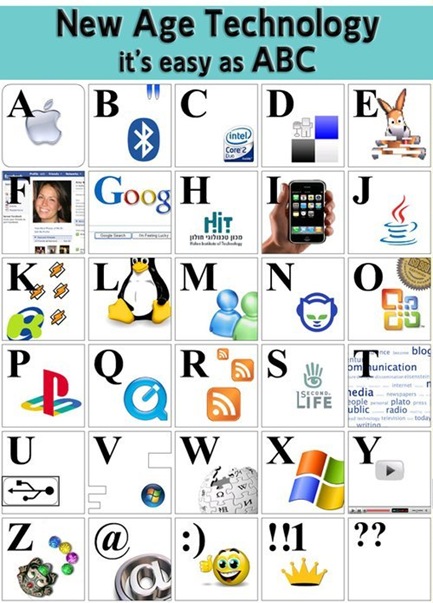
Have fun with Google
Tuesday, August 05, 2008

Open Google ,now type any one from following in google search box and click on I'm feeling lucky button ....Mind it that you have to click I'm feeling lucky button not the Google Search button.
google l33t
elgoog
find chuck norris
google gothic
ewmew fudd
xx-klingon
xx-piglatin
google bsd
google linux
google easteregg
google gizoogle
google bearshare
google microsoft
google april fool's
google finnish
google black
google christmas
For more fun check
Change Google logo text
Make Google Search & iGoogle Homepage Dark
Google extra - All in one Google search
lol.....
An A grade exam paper
Saturday, May 31, 2008
Check out the comments given by the A grader in his answer sheet :-)
Cheat in your exams :-)
Friday, May 30, 2008
Have you ever cheated in your exams ? How do you do it ? Ever get caught ?

Well, the conventional way of cheating is over! Let's look at the latest way !
1.Type out your notes in the computer:

2. Make sure to resize the font size 6:
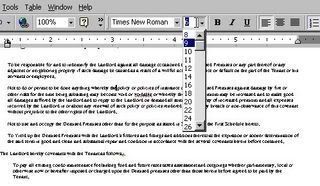
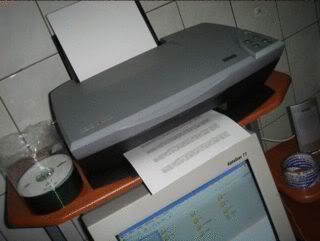
3.Print out the notes with your own printer:
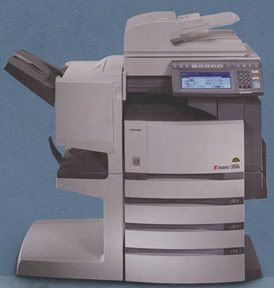
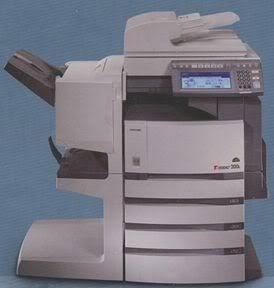
4. Make copy of the note using "toner based" photo copier:
5. Stick a layer of transparent adhesive tapes (eg:Scotch Tape) on the copied notes:
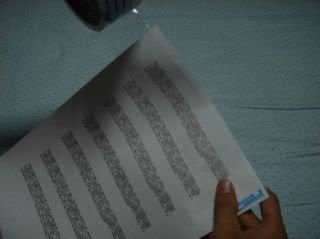
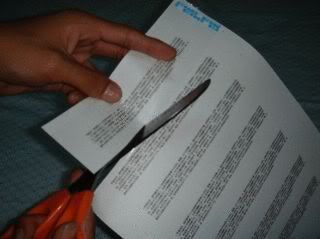
6. Cut them into strips according to the size of the adhessive tape:
7. Soak the strips in cold water:

8. After a few minutes, peel off the adhesive tape from the paper carefully:
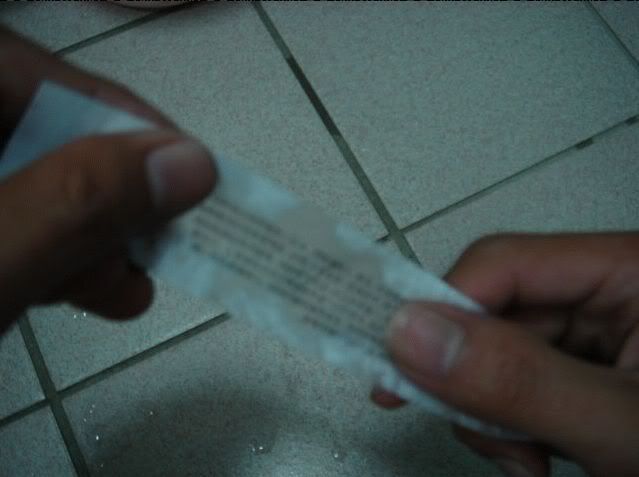
9. You will be able to see that your notes have been transfered to the tapes:
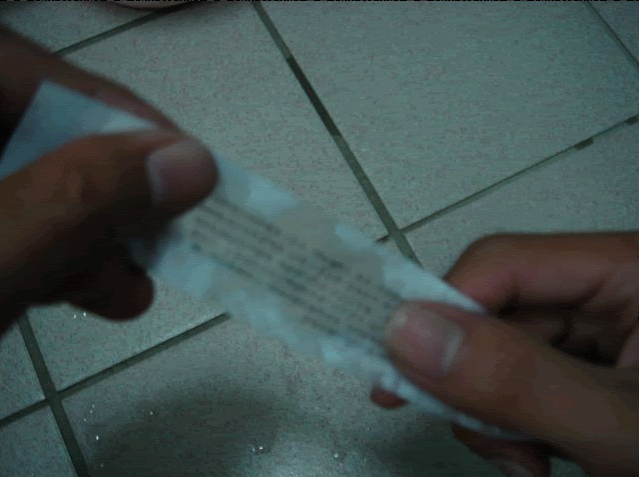
10. Dry the adhesive tape so that it will become sticky again.

11. If you are so lucky to have a clueless teacher, you may just bring the adhessive notes into the exam hall and stick it directly at the answer sheet
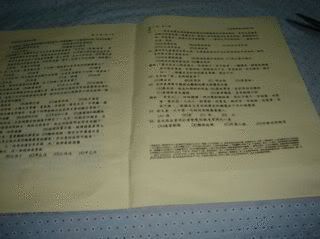
12. Altervatively, you may have to stick it on your pen before you go into the exam hall:
13. Or you may also stick it on your drink:

Good luck for your exams :-)
Click Here to Read More..